Field guide
Keyboard switches: linear vs tactile vs clicky, no elitism
The switch hobby is full of gatekeeping. For real work, only the linear, tactile, and clicky split matters. Here is how to pick and stop worrying.
Almost everything the internet argues about with keyboard switches does not affect how you work. The one distinction that does, the only one, is linear versus tactile versus clicky. Pick the family that fits how you type and where you sit, get a hot-swap board so the choice is not permanent, and ignore the rest of the discourse. The boutique switch you spent an evening reading about will not make you a better developer than a pack of Cherry MX Browns will.
The mechanical keyboard hobby has a gatekeeping problem. Spend an hour in the wrong corner of it and you will come away thinking you need to know about housing materials, spring weights down to the gram, factory lubing versus hand lubing, “thock” versus “clack,” and a tier list of switches with names like artisanal coffee. It is a genuinely fun hobby. It is also almost entirely irrelevant to the question a working developer is actually asking, which is: what should I type on for the next eight hours without thinking about it.
The honest answer is smaller than the hobby wants it to be. There are three switch families. They feel meaningfully different. Everything past that is preference, sound, and craft, the parts you can enjoy if you want to and skip with zero penalty if you do not. So let us cut the field down to the part that matters and get you to a decision.
In This Article
- Three families, one real decision
- What each family is actually for
- The specs that matter, and the ones that do not
- Sound is mostly not the switch
- Hot-swap makes the whole thing low-stakes
- Silent switches are the real office answer
- Putting it to work
The frame: three families, one real decision
A mechanical switch is the mechanism under each key. The thousands of named switches on the market are variations on three feel profiles, and the profile is the only switch property that changes how typing actually feels under your fingers.
A linear switch moves straight down, smooth the whole way, with no bump and no noise beyond the keycap hitting the bottom. A tactile switch has a bump partway through the press, a small resistance you feel right as the key registers. A clicky switch has that same bump plus an audible click engineered to fire at the same point.
That is the whole taxonomy that matters. Linear, tactile, clicky. Smooth, bump, bump-with-noise. Choose the family that fits you and you have made 90 percent of the real decision. The brand, the color, the gram weight, the sound signature: those are the last 10 percent, and they have steep diminishing returns.
| Family | Feel | Reference switch | Best for |
|---|---|---|---|
| Linear | Smooth all the way down, no bump | Cherry MX Red (~45g) | Gaming, or typists who like a clean press |
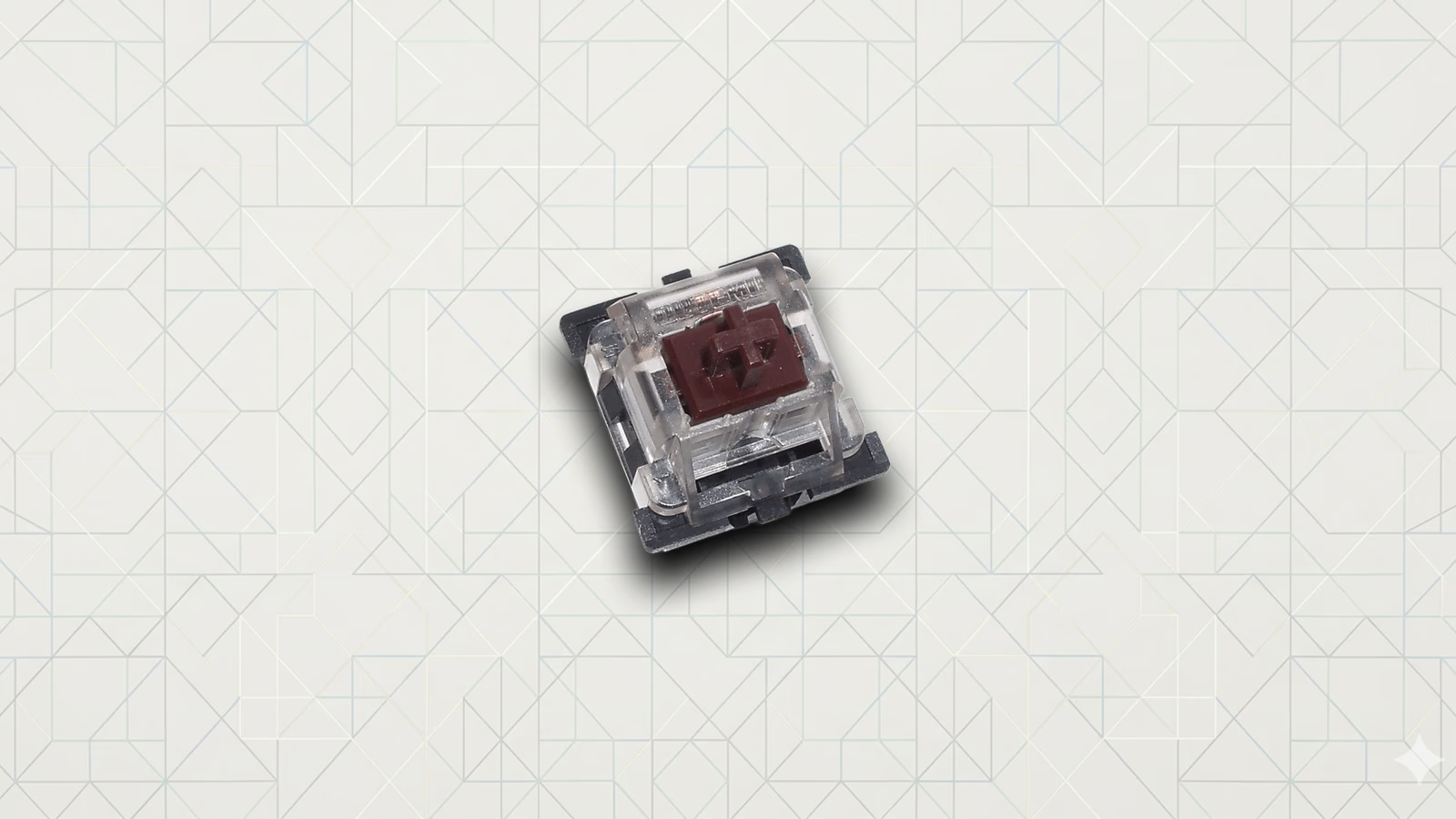
| Tactile | A bump where the key registers | Cherry MX Brown (~55g) | Coding and typing; the safest first pick |
| Clicky | The bump plus an audible click | Cherry MX Blue | Solo rooms where you love the noise |
The evidence: what each family is actually for
Linear switches are smooth and quiet and fast. The classic reference is the Cherry MX Red, near 45 grams of actuation force, and its many clones from Gateron and others. With no bump to push past, linears are easy to press lightly and quick to repeat, which is why they are the default for gaming. For typing, the same smoothness cuts both ways. Some people love the clean, frictionless feel. Others find that without any feedback marking where the key registers, they bottom out hard on every press and make more typos until their hands learn the keyboard. If you tend to hammer the keys or you came from a stiff laptop, a linear can feel like there is nothing stopping you.
Tactile switches give you that missing feedback. The bump, like the Cherry MX Brown near 55 grams or the heavier, more pronounced bumps people chase in switches like Holy Pandas, tells your fingers the keypress landed without you having to bottom out. For typing, coding, and general office work, this is the family most people are happiest with. It is informative without being loud, and it is the safest first pick for someone who does not already know what they like. The bump’s size and sharpness vary a lot between switches, which is one of the few places where switch shopping past the family level actually pays off.
Clicky switches are tactile switches that also announce themselves. The Cherry MX Blue is the archetype, with a mechanism that produces a sharp, deliberate click at the actuation point. They are genuinely satisfying to type on, and they are the wrong choice for almost any shared or remote-work setting. Your webcam mic will pick up every keystroke on a call. An open office will learn to resent you. If you work alone in a closed room and love the sound, enjoy them. Otherwise, the clack is a liability, not a feature.
So the work-focused read is straightforward. If you spend your day in documents and code and you are on calls, a tactile or a quiet linear is the sane choice. If you want the most informative typing feel, go tactile. If you are gaming-first, a linear makes sense. If you are alone and you love the noise, clicky is yours, with eyes open about the cost.
The evidence: the specs that matter, and the ones that do not
A few numbers genuinely affect the experience. Most of the spec sheet does not.
Actuation force, measured in grams, is how hard you press to register a key. Lighter switches near 45 grams are easy and fast and can cause accidental presses if you rest your fingers heavily. Heavier switches near 60 to 67 grams need a touch more intent and can feel more deliberate and less fatiguing for heavy-handed typists, though “fatigue” here is personal and not something to agonize over. Anywhere in the 45 to 67 gram range is normal territory; you adapt to most of it within a week.
Actuation point and total travel, measured in millimeters, are how far the key goes down before it registers and how far it can go in total. Standard full-height switches travel around 4 mm and actuate near 2 mm. “Speed” switches shorten the actuation point to register sooner, which gamers chase and which does little for typing. This is mostly a gaming spec dressed up as a productivity one.
Profile is the one structural choice worth a real thought. Standard full-height switches are the default. Low-profile switches, like the Kailh Choc family or Cherry’s low-profile line, are shorter, with less travel and a feel closer to a nice laptop keyboard. If you are coming off a MacBook and the tall keys of a normal mechanical feel like a lot, low-profile is a legitimate, comfortable landing spot, not a compromise.
What does not matter for whether you can do your job: the housing material, the exact stem plastic, whether the switch was factory lubed, and the dozen micro-variants of any given switch. These change the feel and sound at the margins. They are real to enthusiasts and invisible to your productivity. You will not write worse code on an unlubed switch.
The evidence: sound is mostly not the switch
The biggest myth worth puncturing is that you buy a switch for its sound. People watch a video of a keyboard that goes “thock,” buy the same switches, build a board that goes “clack,” and feel cheated.
The sound of a keyboard comes far more from everything around the switch than from the switch itself. The case material and how solid it is, the plate the switches mount to, the keycap thickness and plastic, and whether there is foam inside to deaden the hollow ring all shape the sound more than the switch family does, with the obvious exception that clicky switches add a click no amount of foam removes. A linear in a dense, foamed, gasket-mounted board sounds deep and muted. The same linear in a hollow plastic board sounds thin and rattly. If a particular sound is your goal, the board build is the lever, not the switch order. Buy the switch for feel. If you also want a specific sound, that is a board decision, and a much bigger one.
The evidence: hot-swap makes the whole thing low-stakes
The single best development in keyboards for a normal buyer is the hot-swap socket. A hot-swap board lets you pull switches out and push new ones in by hand, no soldering, no commitment. It turns the entire switch decision from a permanent bet into a cheap experiment.
This is what defuses the gatekeeping. You do not have to read tier lists or pretend to discern subtleties you cannot feel yet. Buy a hot-swap board and an inexpensive switch tester, or a small variety pack, with a linear, a tactile, and a clicky in hand. Type a few real paragraphs on each, not a few taps, because feel only shows up under actual typing. Pick the family you liked. If you change your mind in a month, swap a pack of switches in for the price of lunch. The decision stops being precious the moment it stops being permanent.
The evidence: silent switches are the real office answer
There is a fourth label worth knowing, and it cuts across the three families rather than sitting beside them: silent switches. A silent linear or silent tactile has small dampening pads built into the stem that soften both the down-press and the upstroke, killing most of the bottom-out and return noise. They are the genuinely quiet option, and they matter more for shared and remote work than the linear-versus-tactile choice does.
The reason is that a normal mechanical, even a quiet-sounding linear, still makes noise when the keycap slams into the bottom of the housing on every keystroke. On a call, your mic catches that clatter even from switches no one would call loud. Silent variants, like the silent versions Cherry and others build of their standard linears and tactiles, take the edge off exactly that sound. You give up a little crispness of feel for it, which enthusiasts dislike and your coworkers will never notice. If the main constraint on your keyboard is that you are on video calls all day in a room with other people, a silent tactile is probably the most considerate choice you can make, and it lets you keep the feedback of a tactile bump without broadcasting it. It is the answer the sound-chasing side of the hobby tends to skip, because quiet is not what that side is optimizing for.
Putting it to work
Here is the whole thing as a path you can follow without a single tier list.
1. Start with where you sit. If you take calls or share a room, cross clicky off the list now. The click is not worth the cost to everyone around you and to the people on your calls.
2. Pick a family from how you type. Want feedback that the key registered, which most typists and coders do, go tactile. Hammer the keys, game a lot, or love a clean smooth press, go linear and accept the brief adjustment while your hands learn it. Work alone and love the noise, clicky is on the table.
3. Handle weight and profile, lightly. Stay in the 45 to 67 gram range and trust that you will adapt; do not agonize over grams. If full-height mechanicals feel tall after years on a laptop, look at low-profile instead of forcing yourself to adjust.
4. Buy hot-swap so none of this is final. A hot-swap board plus a switch tester means you can validate the choice on your own fingers and change it later for pocket change.
5. Only if you want to, enjoy the hobby. Lube your switches on a weekend. Chase a sound with a different case and keycaps. Read the tier lists for fun. Just know that you are now in the optional, enjoyable part, and that none of it is required to have an excellent keyboard you can work on all day. A board of plain Cherry MX Browns, unlubed, in a decent case, is a genuinely great place to spend a career’s worth of typing. The elitism would have you believe otherwise. It is wrong.
Linear, tactile, or clicky is the only switch decision that changes your day. Rule out clicky if you share space, go tactile if you want typing feedback, go linear if you game or like it smooth, and buy hot-swap so the choice is never permanent. Everything past that, the brands and grams and lube and “thock,” is a hobby you are welcome to enjoy and free to skip. Cherry MX Browns are not a compromise; they are a perfectly good answer.
Read more: